
How MyHomePortal works
Five simple workflows cover everything from a dripping tap to the yearly gutter clean. Here's exactly what happens, and what you get out of each one.
A tenant reports a problem
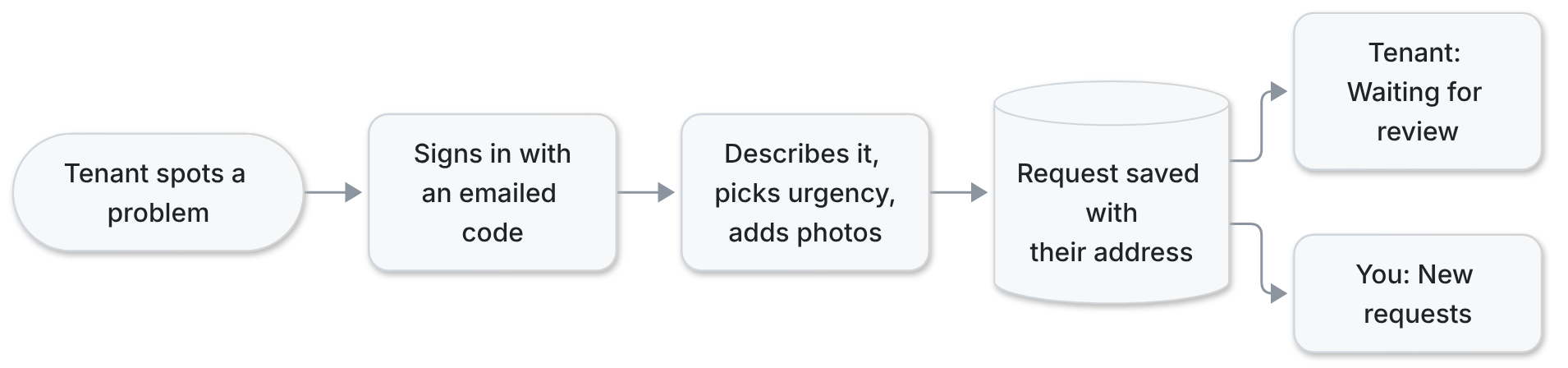
Your tenant signs in with a one-time code sent to their email (no password to forget), describes the problem and how urgent it is, and adds photos. Their address is filled in for them. The request lands straight on your dashboard.
What you get
- Requests arrive complete: what, where, how urgent, with photos
- No phone tag. Tenants follow progress themselves
- Tenants only ever see their own home’s requests
You triage it and get it fixed
Open the request, acknowledge it so your tenant knows you’re on it, then move it through to done. Every change is stamped with who made it and when, and your tenant sees each step.

What you get
- One click moves a request to its next step
- Severity you can raise or lower as you learn more
- A dated activity trail for every request, ready if there’s ever a dispute
- Closed by mistake? Reopen it from History

Costs and receipts, tracked as you go
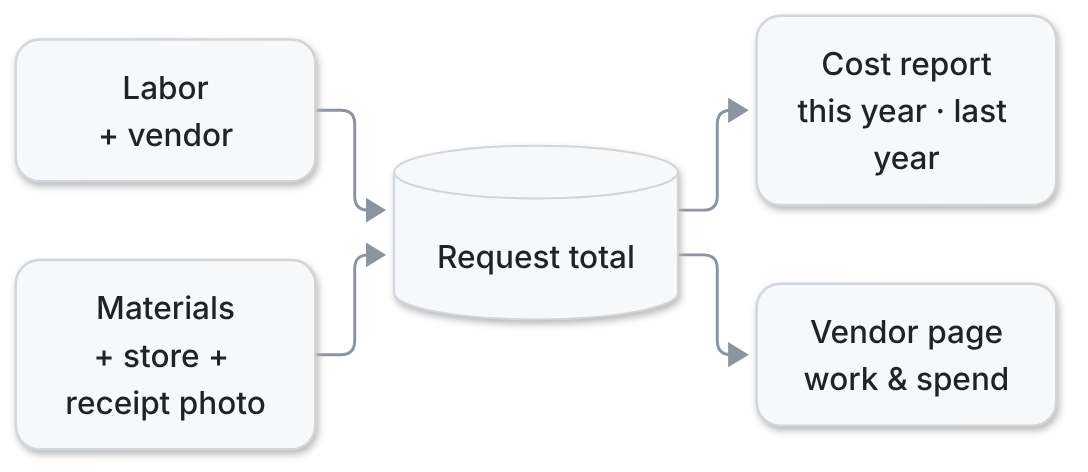
Log labor against the vendor who did the work, or materials with the store and a photo of the receipt. Totals roll up per request, per vendor and per year automatically.
What you get
- Each repair’s true total cost, kept on the request
- This year vs. last year at a glance, by vendor type
- Receipts stored with the job, not lost in a glovebox
- Tenants never see your costs
Recurring upkeep runs itself
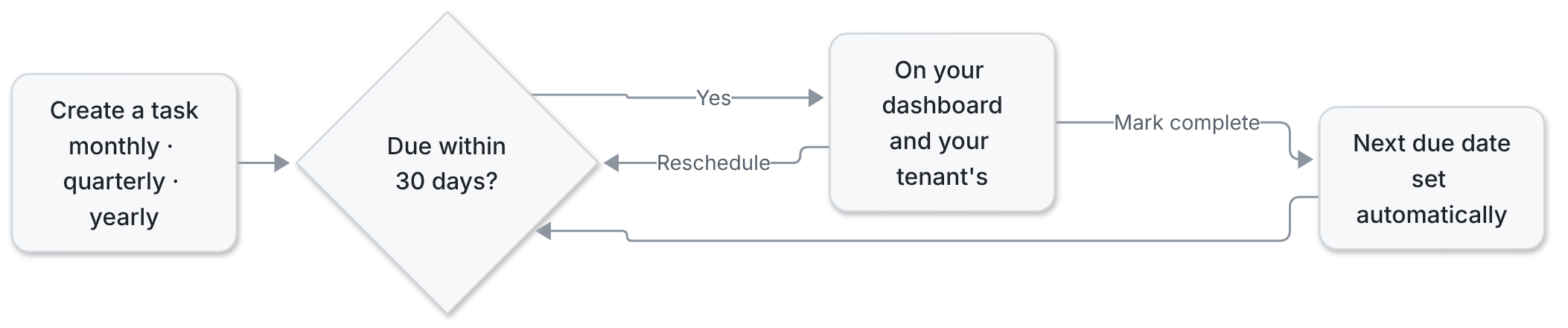
Set up filters, gutters, inspections or anything else that repeats monthly, quarterly or yearly. Your dashboard shows what’s due in the next 30 days and what’s overdue. Mark it done and the next date is set for you.
What you get
- Nothing seasonal gets forgotten
- Overdue jobs stand out in red
- Tenants know when someone is coming
Getting started takes one email
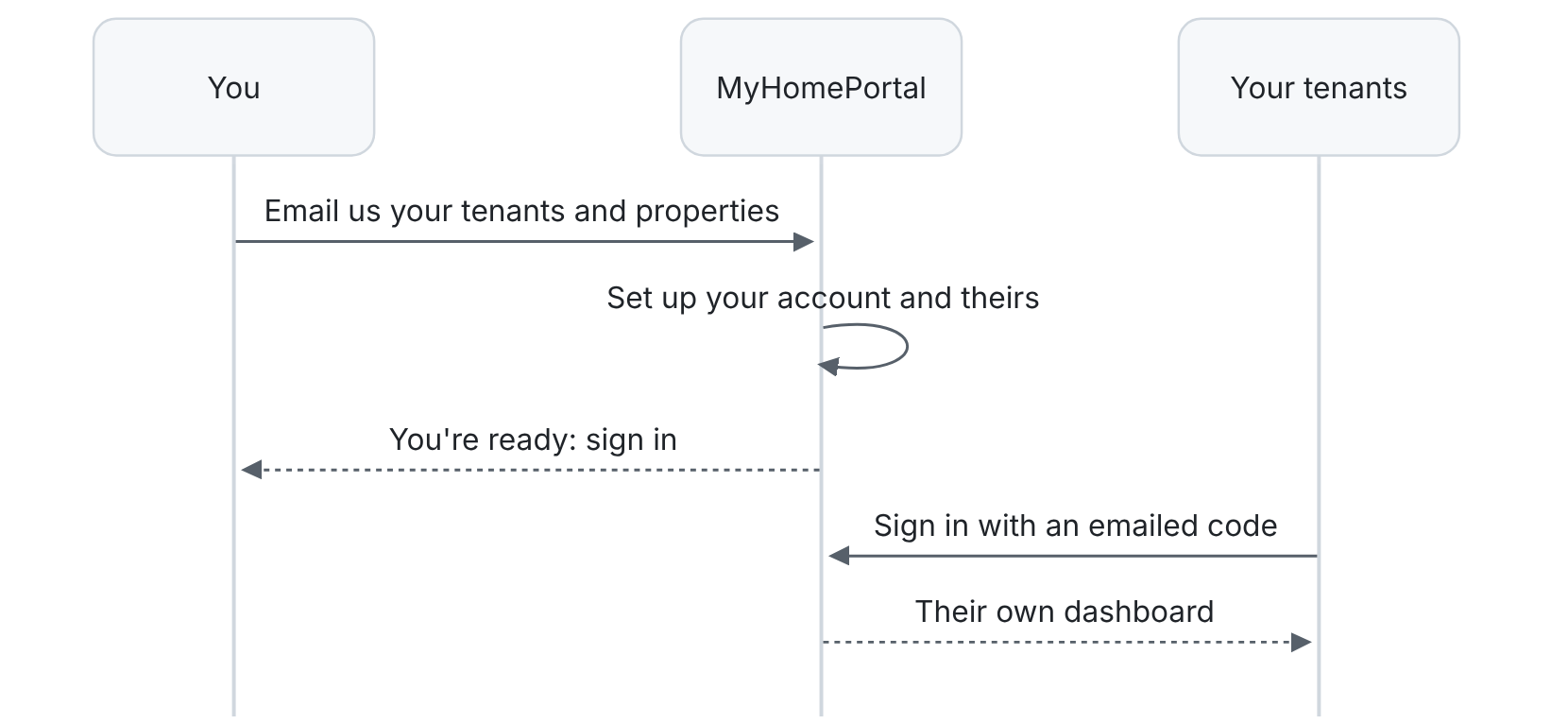
There’s no sign-up form. Email us how many tenants you have and where, and we set up your properties and accounts. Your tenants just sign in.
What you get
- No sign-up forms and no setup work for you
- Accounts for you and every tenant, created for you
- Everyone signs in with an emailed code. Nothing to install.